If you require a quote for your order, you can create this quote directly in our online shop.
Simply add the desired product to your shopping cart. After clicking on 'Request Quote,' you will have the opportunity to enter the address and submit the quote request.
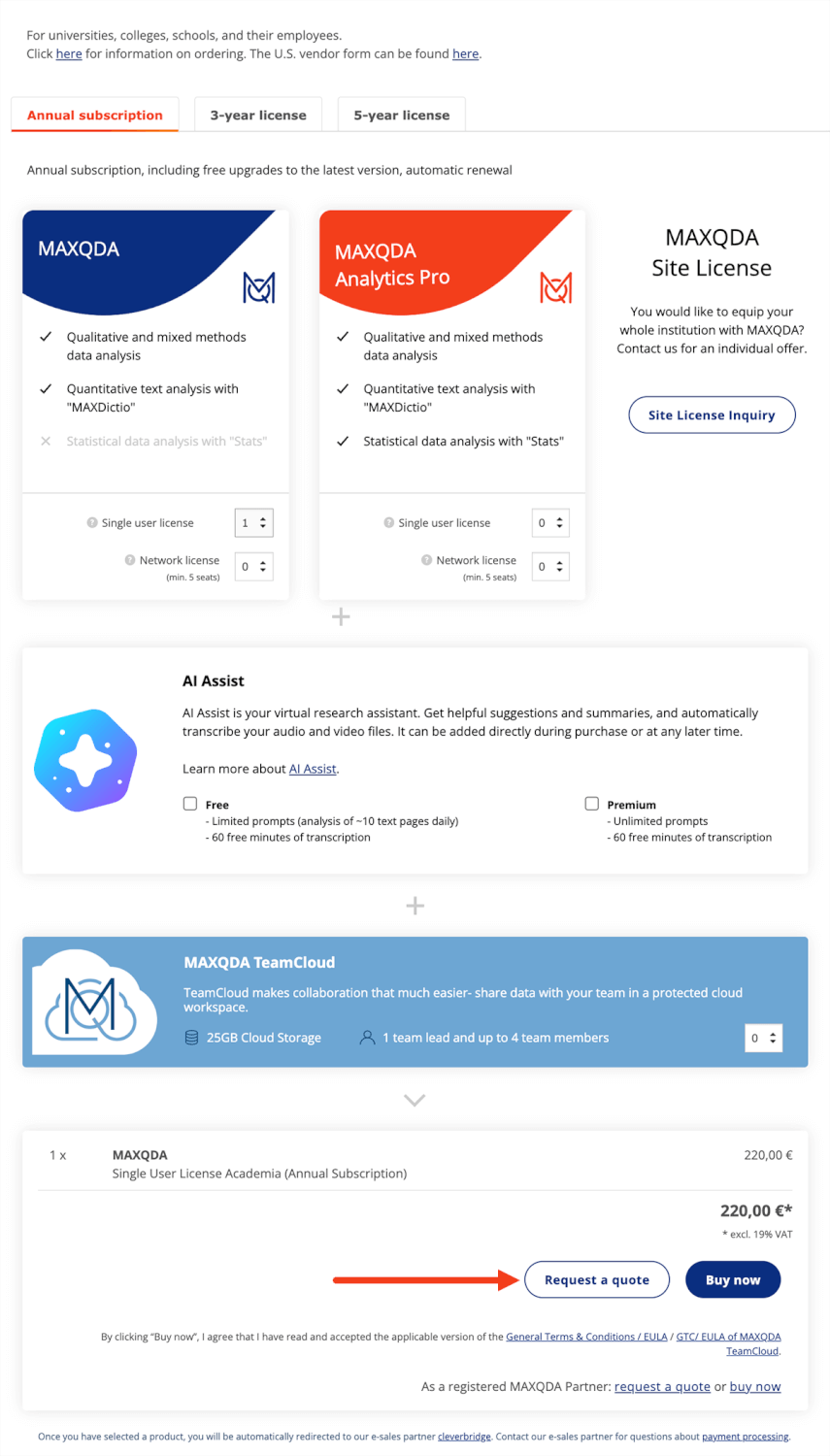
You will receive the quote as a PDF file directly in the shop.
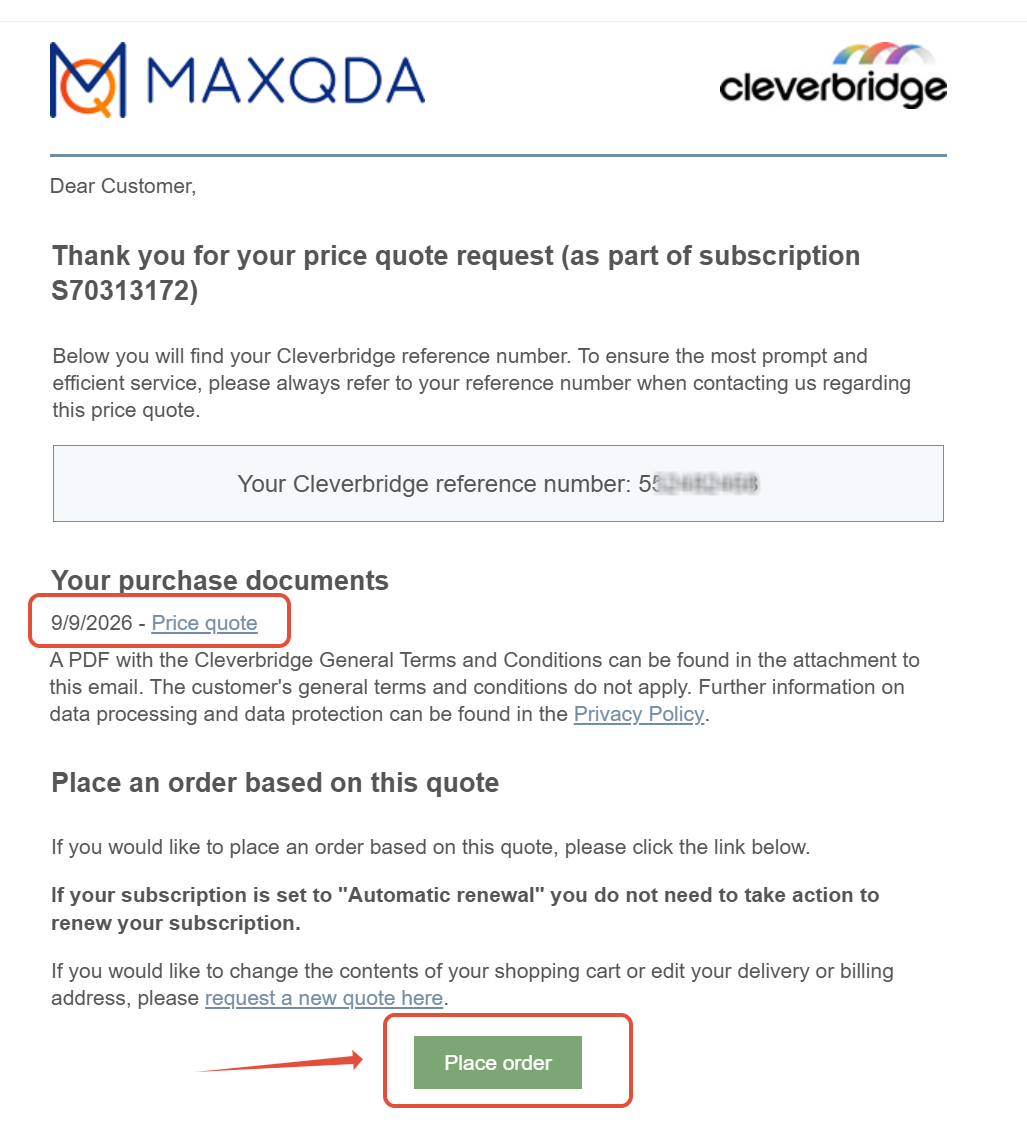
Shortly thereafter, you will receive an email with the requested quote from our E-Sales Partner Cleverbridge GmbH. In this email, you will also have the option to place the order directly. Please note that the quote is only valid for 60 days.
You can create as many quotes as you wish.
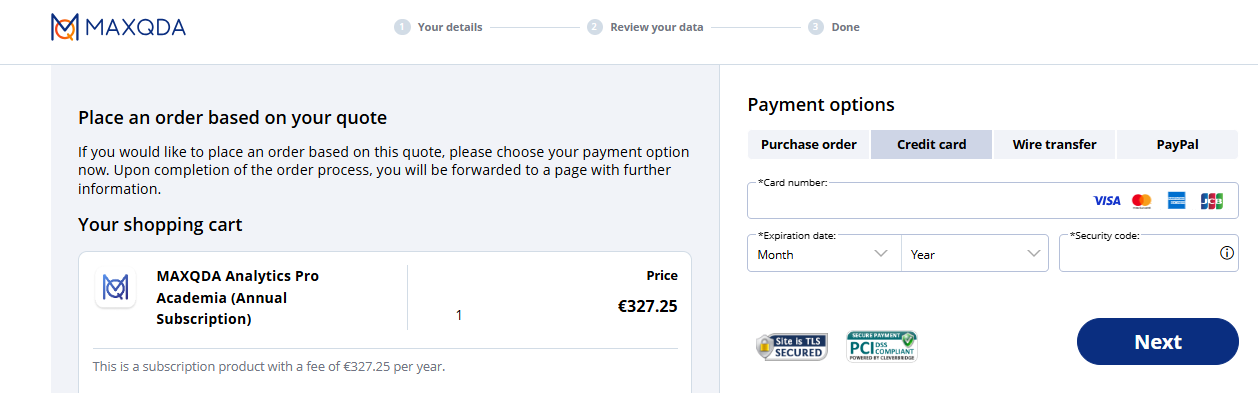
When you place the order, you can pay directly and receive the license keys and invoice automatically, or you can order via purchase order.
If you need a quote for more than 20 licenses, please feel free to contact our sales department (sales@maxqda.com).
Was this article helpful?
That’s Great!
Thank you for your feedback
Sorry! We couldn't be helpful
Thank you for your feedback
Feedback sent
We appreciate your effort and will try to fix the article